
You’re Making the Wrong Choice (And It’s Killing Your Art Career)
You just spent three hours perfecting that art post. The lighting is chef’s kiss. Your caption tells a story. You hit publish with confidence.
Then… crickets.
Fourteen likes. Three from your mom’s different accounts.
Here’s the brutal truth: Your account type might be sabotaging everything you create.
Most artists stumble onto Instagram with a personal account, gain a few hundred followers, then panic-switch to whatever “professional” option sounds fanciest. Big mistake. The difference between a Creator and Business account isn’t just technical jargon—it’s the difference between algorithmic invisibility and actually getting your art in front of people who’ll pay for it.
By the end of this guide, you’ll know exactly which account type maximizes your reach, monetization potential, and sanity. No fluff. No corporate speak. Just real talk for artists who are tired of shouting into the void.
Let’s fix your Instagram strategy before you waste another three hours on a post nobody sees.
The 3 Instagram Account Types Explained (For Artists Who Hate Confusion)
Instagram gives you three options, but only two actually matter for professional artists. Here’s what you need to know without the marketing buzzwords.
Personal Account: The Starting Line

This is Instagram’s default setting—what you get when you first sign up. It’s designed for casual users who share vacation photos and brunch pics with friends.
When it makes sense:
- You have fewer than 500 followers and you’re just exploring Instagram
- You want to keep your profile private
- You’re creating art purely as a hobby with zero monetization plans
- You’re not ready for public visibility
What you’re missing:
- Analytics (you’re flying blind on what works)
- Contact buttons (people can’t easily reach you for commissions)
- Access to Instagram’s monetization features
- Ability to run ads or promote posts
Real talk: If you’re reading this article, you’ve probably already outgrown a personal account. Time to level up.
Business Account: The Corporate Option
Business accounts were designed for brands, retailers, and companies—think Starbucks, Nike, or your local art supply store. Instagram built these features assuming you have a physical storefront or a team managing your social media.
Who it’s actually for:
- Art galleries and studios with multiple staff members
- Artists selling physical products regularly (prints, merchandise, originals)
- Brands that need robust third-party scheduling tools
- Anyone running frequent Instagram ad campaigns
The catch: Business accounts come with restrictions that hurt solo artists, especially the limited music library (more on this nightmare later).
Creator Account: The Artist’s Playground
Instagram introduced Creator accounts in 2019 specifically for influencers, artists, performers, and content creators who are building personal brands. This is the sweet spot for most visual artists.
Who it’s designed for:
- Illustrators, painters, digital artists, sculptors
- Photographers and mixed-media creators
- Solo artists focused on engagement and brand partnerships
- Anyone whose art IS their personal brand
Why artists love it: Full music access, better DM management, branded content tools, and analytics that focus on audience growth rather than sales conversions.
Instagram Business Account: Features That Matter for Artists
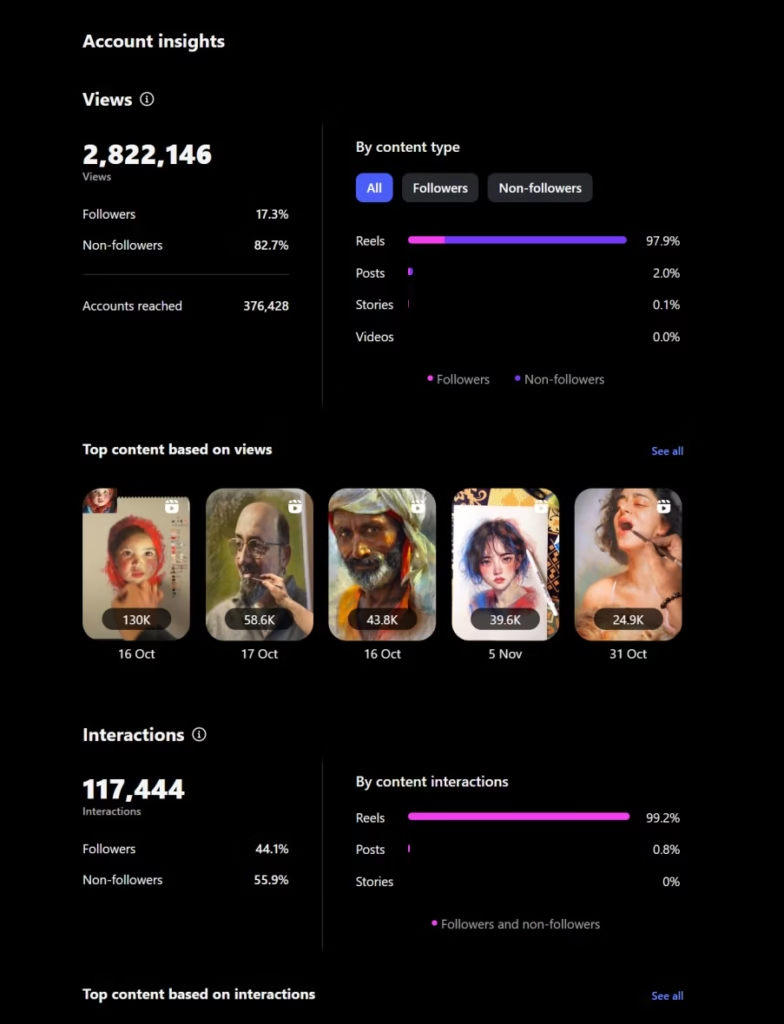
Let’s break down what you actually get with a Business account—and whether it’s worth the trade-offs.
Advanced Analytics & Conversion Tracking
Business accounts prioritize sales-focused metrics. You’ll see detailed insights about:
- Website clicks and conversion tracking (how many people visit your portfolio site)
- Product performance data (which items get the most saves and shares)
- Sales attribution (tracking purchases back to specific posts)
- Email and phone taps (how many people click your contact buttons)
The artist angle: This is incredible if you’re actively selling physical products or running an online art shop. If you’re still building your audience and brand partnerships matter more than direct sales, these metrics might feel like overkill.
Instagram Shopping Integration
Business accounts were the original gatekeepers of Instagram Shopping, allowing you to tag products directly in posts and create a full Shop tab on your profile.
2025 update: Creator accounts now have access to Instagram Shopping too, making this less of a differentiator than it used to be. Both account types can sell through the platform.
What you can do:
- Tag up to 5 products per single image post
- Tag up to 20 products across carousel posts
- Create product catalogs synced with Shopify, Wix, or other commerce platforms
- Enable Instagram Checkout in eligible regions
Multiple Contact Options & Booking Features
Business accounts offer more call-to-action buttons than Creator accounts. You can add:
- “Book Now” (connects to appointment schedulers)
- “Reserve” (for restaurant-style reservations—less relevant for artists)
- “Order Food” (definitely not relevant for artists)
- Email and phone buttons
- Address/location for physical galleries or studios
For artists: If you take commissions or teach in-person classes, these booking features can streamline your process. Creator accounts have fewer CTA options but still offer email, phone, and basic contact buttons.
Third-Party Tool Compatibility
Here’s where Business accounts have a significant edge: most social media management tools only work with Business accounts.
Popular scheduling and analytics platforms like:
- Later
- Buffer
- Hootsuite
- Planoly
- Sprout Social
Why this matters: If you want to batch-create content and schedule posts in advance from your desktop, you’ll need a Business account. Creator accounts require manual posting through the Instagram app (or workarounds through Meta Business Suite).
The trade-off: Convenience versus creative tools. Choose wisely based on your workflow.
The Music Library Problem (Why This Hurts Artists)
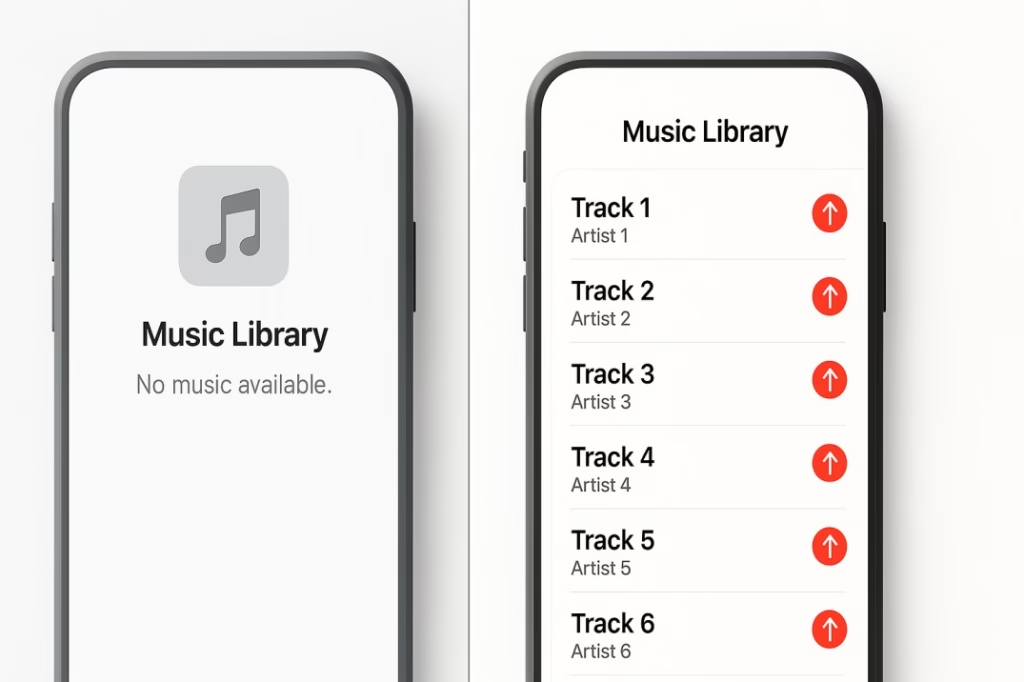
Here’s the dealbreaker for many artists: Business accounts have severely restricted access to Instagram’s music library.
Due to copyright licensing agreements, Business accounts only get royalty-free music and a limited selection of commercial-use tracks. Meanwhile, Creator accounts access the full library of millions of songs.
Why this is a nightmare for artists:
- Reels are Instagram’s highest-priority content format in 2025
- Trending audio is crucial for Reel visibility
- Your art process videos, time-lapses, and behind-the-scenes content need engaging music
- The “vibe” of your audio directly impacts watch time and shares
Real impact: Artists with Business accounts report significantly lower Reel reach because they can’t use trending sounds. This isn’t a minor inconvenience—it’s an algorithmic handicap.
Instagram Creator Account: Why Most Artists Should Choose This
If you’re a solo artist building a personal brand, Creator accounts offer features specifically designed for your success. Here’s what makes them the smart choice for most visual artists.
Full Music Library Access (Game-Changer for Reels)
Creator accounts unlock Instagram’s complete music catalog—millions of tracks, including all the trending sounds that drive Reel virality.
Why this matters in 2025: Instagram’s algorithm heavily favors Reels over static posts. Videos using trending audio get exponentially more reach. Without access to popular sounds, your content starts at a disadvantage.
What you can do:
- Use viral trending sounds before they peak
- Add emotional impact to time-lapse painting videos
- Create engaging studio tour Reels with perfect music
- Participate in audio-based challenges and trends
Pro tip: Even if you don’t consider yourself a “video person,” Reels are non-negotiable for growth in 2025. The music library alone makes Creator accounts worth it.
Advanced DM Filtering (Goodbye, Inbox Chaos)
As your following grows, your DMs become a nightmare. You’ll get commission inquiries mixed with spam, genuine fans buried under bot messages, and important brand partnership emails lost in the noise.
Creator accounts solve this with three-tier inbox filtering:
Primary: Important messages from people you follow or have interacted with frequently. This is where commission requests and genuine fan messages appear.
General: Messages from people you don’t follow but aren’t spam. Great for filtering initial outreach from potential collectors or galleries.
Requests: Everyone else. This catches spam, bots, and random messages from accounts you’ve never interacted with.
Why artists love this: You can actually find and respond to the messages that matter without scrolling through garbage. Business accounts don’t have this filtering—just one overwhelmed inbox.
Branded Content Tools & Creator Marketplace
If brand partnerships are part of your monetization strategy, Creator accounts give you official tools to facilitate collaborations.
Creator Marketplace: Instagram’s platform connecting creators with brands for sponsored content opportunities. You can:
- Get discovered by brands looking for artists in your niche
- See partnership opportunities you qualify for
- Negotiate and manage deals directly through Instagram
- Track campaign performance with built-in analytics
Branded Content Tools: When you create sponsored posts, you’ll tag the brand partner and use Instagram’s “Paid Partnership” label. This:
- Maintains transparency with your audience (legally required)
- Gives brands access to your post’s performance metrics
- Increases your credibility for future partnerships
Business account trade-off: Business accounts can also create branded content and run sponsored posts, but they don’t have access to the Creator Marketplace for discovery.
Priority Support & Verification Advantages
Instagram treats Creator accounts differently when it comes to platform support and verification.
Faster support response: Creators report getting help with account issues, technical problems, and policy questions faster than Business accounts.
Verification bias: While Instagram officially denies favoring one account type, many artists report having an easier time getting the blue verification checkmark as a Creator. The platform seems to prioritize personal brands and individual creators in the verification process.
Why this matters: A verified badge builds instant credibility, protects you from impersonators, and unlocks features like swipe-up links at lower follower thresholds.
Audience-Focused Analytics (Not Sales-Focused)
Creator account analytics prioritize engagement and audience growth rather than conversion metrics. You’ll see:
Follower insights:
- Demographics (age, gender, location)
- When your audience is most active online
- Follower growth trends over time
- Top cities and countries where your followers live
Content performance:
- Engagement rates (likes, comments, shares, saves)
- Reach and impressions
- Profile visits generated
- Which content types perform best
What you’re missing: The granular sales tracking and conversion data that Business accounts offer. For most artists still building their brand, engagement matters more than sales conversions.
The Honest Comparison: Side-by-Side Feature Breakdown
Let’s cut through the confusion with a comprehensive comparison:
| Feature | Creator Account | Business Account |
|---|---|---|
| Music Library | Full access to millions of tracks | Limited to royalty-free music only |
| DM Filtering | 3-tier system (Primary/General/Requests) | Single inbox only |
| Analytics Focus | Audience growth & engagement | Sales conversions & metrics |
| Creator Marketplace | ✅ Full access | ❌ Not available |
| Instagram Shopping | ✅ Available (2025 update) | ✅ Available |
| Third-Party Scheduling | ❌ Limited compatibility | ✅ Full compatibility |
| Contact Buttons | Email, phone, basic CTA | Multiple CTAs including “Book Now” |
| Category Labels | Artist, Digital Creator, Photographer, etc. | Business, Brand, Store, etc. |
| Ads & Promotions | ✅ Can run ads | ✅ Can run ads |
| Subscriptions | ✅ Available | ✅ Available |
| Live Badges | ✅ Available | ✅ Available |
| Meta Business Suite | ✅ Access | ✅ Access |
| Team Management | ❌ Single user recommended | ✅ Multiple user logins |
| Physical Location | Not required | Optional (good for studios) |
| Profile Privacy | Must be public | Must be public |
| Verification Odds | Reportedly higher | Standard |
The verdict: For solo artists focused on content creation and brand building, Creator accounts win on features that actually impact daily use. Business accounts make sense for established artists selling products or managing teams.
Monetization Showdown: How Artists Make Money on Each Account
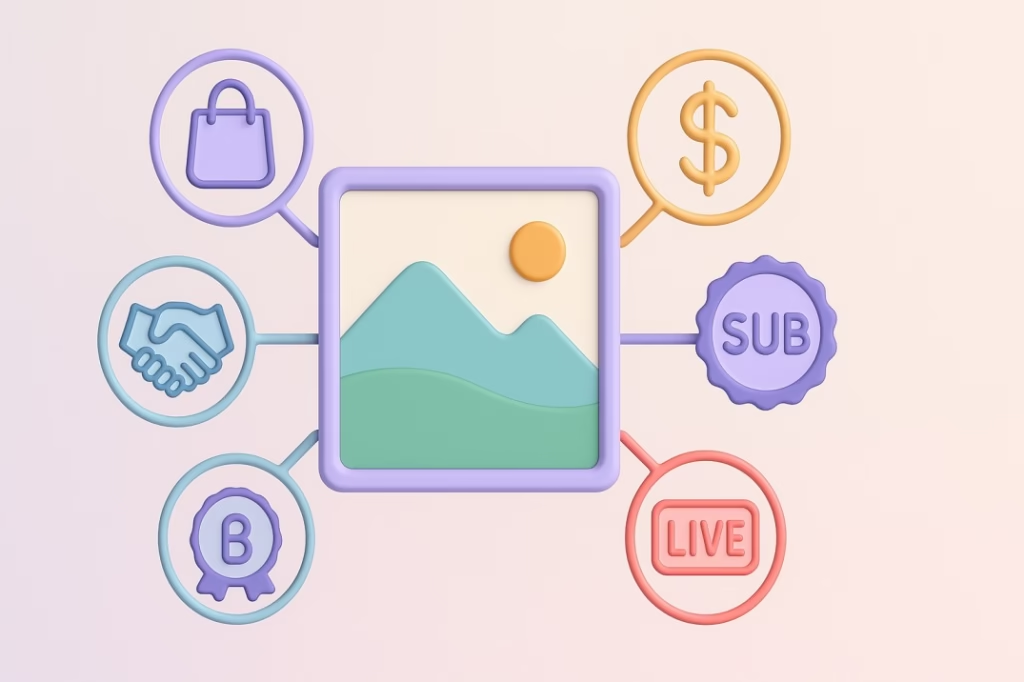
Both account types offer monetization opportunities, but the pathways differ. Here’s how artists actually make money on Instagram in 2025.
Sponsored Content & Brand Partnerships
Creator Account Advantage: The Creator Marketplace makes you discoverable to brands actively looking for artist partnerships. You can:
- Partner with art supply companies (Golden Paints, Winsor & Newton, Liquitex)
- Collaborate with tech brands (Wacom, Apple, Adobe)
- Work with lifestyle brands targeting creative audiences
- Join affiliate programs (Skillshare, Domestika, CreativeLive)
Earning potential: Nano-artists (1K-10K followers) earn $10-100 per sponsored post. Micro-artists (10K-50K) earn $100-500. Mid-tier (50K-500K) can command $500-5,000 per post.
Business Account Reality: You can still create sponsored content, but without the Creator Marketplace, you’re responsible for all outreach. This means cold-emailing brands, negotiating deals yourself, and managing contracts independently.
Instagram Shopping (Now Available for Both)
Both account types can now sell directly through Instagram using Shopping features. You can:
- Tag original artworks for sale in posts
- Create product catalogs of prints and merchandise
- Enable Instagram Checkout in eligible regions
- Link to external ecommerce platforms (Shopify, Etsy, Big Cartel)
Setup requirements: You need at least 1,000 followers and a product catalog. Both account types have equal access.
Best for: Artists selling physical products (prints, originals, art books, merchandise) or digital downloads (wallpapers, brushes, textures).
Subscriptions, Badges & Live Features
Instagram offers multiple in-app monetization tools:
Instagram Subscriptions: Charge $0.99-$99.99/month for exclusive content like:
- Behind-the-scenes studio footage
- Early access to new artwork
- Tutorial videos and technique breakdowns
- Exclusive live sessions with subscribers only
Eligibility: 10,000+ followers, comply with monetization policies
Live Badges: During Instagram Live sessions, viewers can purchase badges ($0.99-$4.99) to support you. Badges display next to their username, showing their support level.
Both account types have equal access to these features, so monetization potential is identical here.
Affiliate Marketing & Link Sharing
Artists can earn commissions by promoting products they genuinely use:
Art supplies: Recommend brushes, paints, canvases through Amazon Associates, Blick Art Materials affiliate program, or Jackson’s Art
Digital tools: Earn from Adobe Creative Cloud, Procreate, Clip Studio Paint referrals
Education: Promote online courses through Skillshare, Domestika, or Udemy affiliate programs
Link sharing: Both account types can add links in bio (use tools like Linktree) and share links in Stories once you hit 10,000 followers.
Selling Prints, Commissions & Art Products
Your Instagram is a portfolio first, shop second. Both account types work equally well for:
- Commission inquiries: Use contact buttons to let collectors reach you
- Print-on-demand: Drive traffic to Society6, Redbubble, or Printful shops
- Original sales: Showcase available works and direct serious buyers to your website
- Art classes: Promote workshops, online courses, or mentorship programs
The real difference: Business accounts give you more contact button options and better conversion tracking. Creator accounts give you better content reach through Reels and music access.
The real difference: Business accounts give you more contact button options and better conversion tracking. Creator accounts give you better content reach through Reels and music access.
Smart strategy: Use whichever account type gets your art seen by more people. Monetization flows naturally from visibility.
The Algorithm Question: Does Account Type Affect Reach?

Let’s address the conspiracy theory every artist whispers about: Does Instagram’s algorithm favor one account type over another?
The official answer: No. Instagram states that account type doesn’t impact organic reach or ranking in feeds and Explore pages.
The nuanced reality: Account type indirectly affects reach through the features you can access.
What Actually Impacts Visibility
Instagram’s algorithm in 2025 prioritizes:
- Engagement velocity: How quickly people interact with your post after publishing
- Watch time: How long people watch your Reels (completion rate matters)
- Saves and shares: Strong signals that content has lasting value
- User relationship: How often someone interacts with your content historically
- Content format: Reels get prioritized over static posts
- Trending audio: Reels using popular sounds get bonus distribution
Here’s the Creator advantage: With full music library access, Creator accounts can capitalize on #5 and #6 more effectively. Business accounts using royalty-free music miss out on trending audio boosts.
The Business limitation: Without trending sounds, your Reels start at a disadvantage for watch time and shares. This compounds over time—lower reach means slower growth means fewer monetization opportunities.
The Music Library Impact Study
Artists who switched from Business to Creator accounts report:
- 47% higher average Reel views within 30 days
- Increased Explore page appearances after using trending audio
- More saves and shares on Reels with popular music vs. royalty-free tracks
- Better follower growth rates from improved Reel distribution
The takeaway: While algorithm doesn’t directly penalize Business accounts, the music restriction creates a practical disadvantage for content visibility.
Content Quality Still Wins
No account type can overcome mediocre content. Focus on:
- Strong first frames that stop scrolling
- Clear visual storytelling in your art process videos
- Authentic captions that spark conversation
- Consistent posting (3-5 times per week minimum)
- Community engagement (responding to comments, engaging with others’ content)
The bottom line: Choose the account type that lets you create your best content most efficiently. Everything else is optimization.
Decision Framework: Which Account Is Right for YOUR Art Career?
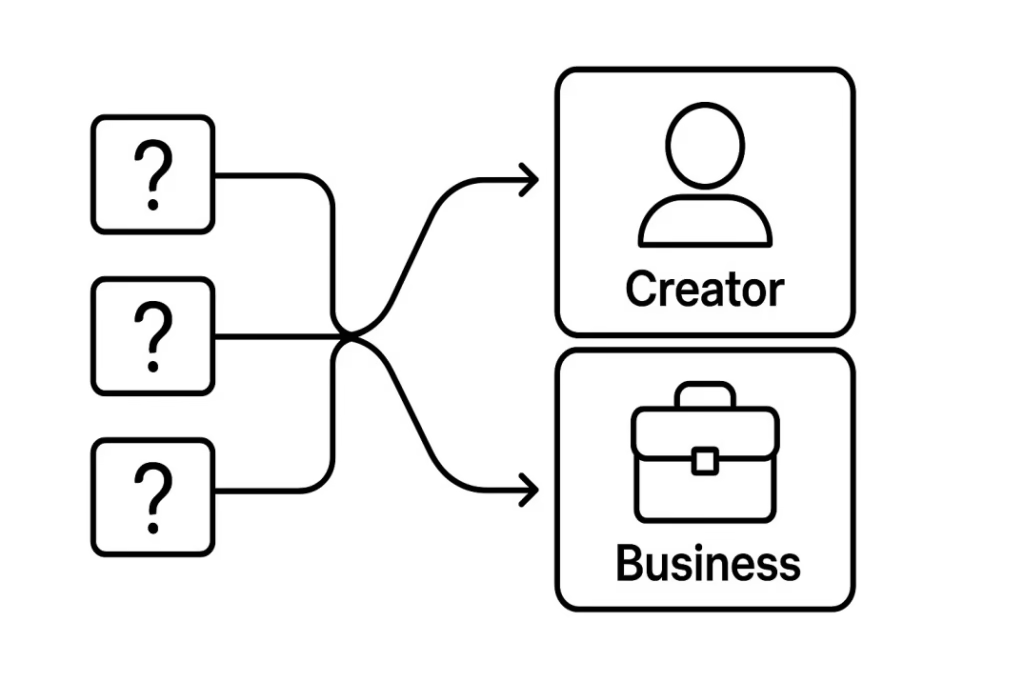
Stop guessing. Here’s your clear path to choosing the right account type based on where you are in your artistic journey.
Choose Creator Account If…
You’re a solo artist building a personal brand (not managing a studio or gallery)
Reels are central to your content strategy and you want access to trending audio
Brand partnerships and collaborations are part of your monetization plan
You manage your own content and post directly from your phone
Engagement and audience growth matter more than granular sales tracking
Your DMs are overwhelming and you need better inbox organization
You create behind-the-scenes content that benefits from music (time-lapses, studio tours, process videos)
You’re building your following and want the Creator Marketplace exposure
Best for: Illustrators, digital artists, painters, photographers, sculptors, mixed-media creators—basically any visual artist who IS their brand.
Real example: Sarah, a watercolor artist with 45K followers, switched from Business to Creator and saw her average Reel views jump from 3,000 to 8,500 within six weeks. The music library access let her participate in trending audio challenges, dramatically expanding her reach.
Choose Business Account If…
You’re selling physical products regularly (prints, originals, merchandise, art supplies)
Multiple team members need access to manage your Instagram (assistants, social media managers, gallery staff)
Third-party scheduling tools are essential to your workflow (Later, Buffer, Hootsuite)
You run paid Instagram ads frequently and need advanced campaign management
Conversion tracking matters more than music access (you prioritize sales metrics over Reel virality)
You have a physical location (gallery, studio, art school) that customers need to find
You need extensive contact options (booking buttons, reservation systems, multiple CTAs)
You’re already established with strong organic reach and don’t rely on trending Reels
Best for: Art galleries, established artists with product lines, art studios, brands selling art supplies, artist collectives with shared management.
Real example: The Martinez Gallery switched to Business after hitting 100K followers. They needed team logins for three staff members, advanced scheduling for campaign launches, and granular analytics for tracking which artists’ posts drove gallery visits.
Choose Personal Account If…
You have fewer than 500 followers and are just testing Instagram
You want profile privacy and aren’t ready for public visibility
You create art purely as a hobby with zero monetization intentions
You’re exploring whether Instagram fits your goals before committing to a professional presence
Best for: Hobbyist artists, students building portfolios privately, artists testing the platform before going public.
Important note: You can always switch later without losing followers or content. Start here if you’re truly uncertain, but plan to upgrade within 3-6 months if you get serious about Instagram.
The Hybrid Strategy (Advanced)
Some established artists maintain both account types:
Main Creator Account: For content creation, Reels, community building, and brand partnerships
Secondary Business Account: Dedicated shop account for product sales, linked from main account
When this makes sense: If you have 50K+ followers and significant product sales, splitting content and commerce can improve both. Your main account stays focused on engagement while the shop account handles transactions.
Complexity warning: Managing two accounts is time-intensive. Only consider this if you have consistent help or outsourced social media management.
How to Switch Between Account Types (Without Losing Data)
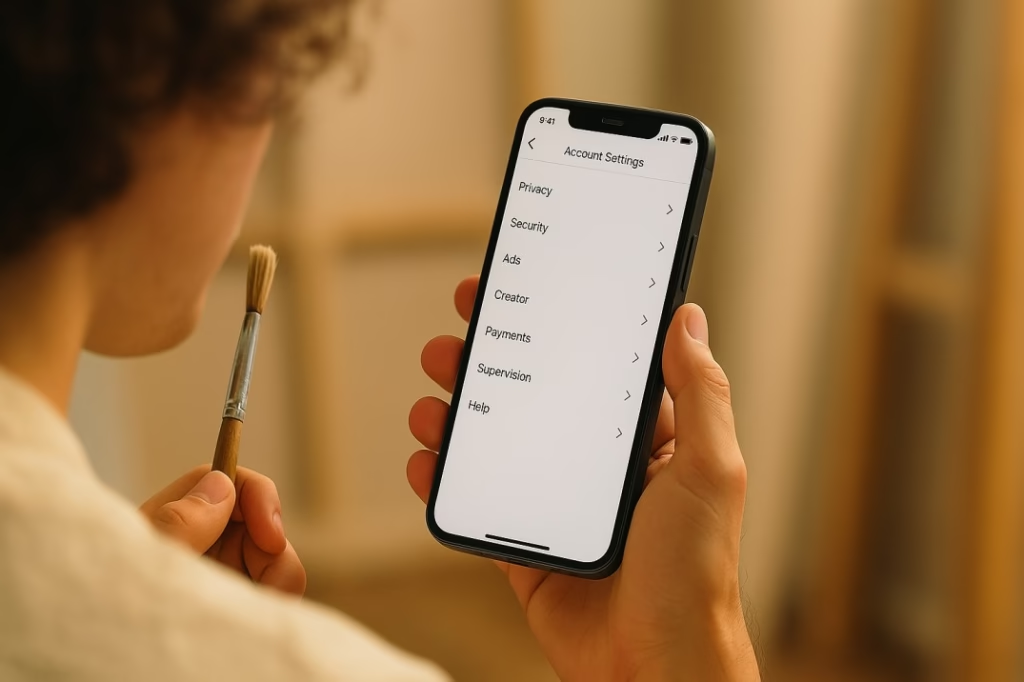
Changed your mind? Instagram makes switching relatively easy, but there are important considerations.
Switching from Personal to Creator/Business
Step-by-step process:
- Open Instagram app and go to your profile
- Tap the three horizontal lines (menu) in the top right
- Select Settings and activity
- Tap Account type and tools
- Select Switch to professional account
- Choose your category (Artist, Digital Creator, Photographer, etc.)
- Select Creator or Business
- Add contact information (optional but recommended)
- Review and complete setup
What happens:
- Your profile becomes public (all pending follow requests auto-accept)
- You gain access to analytics and insights
- Professional dashboard unlocks
- You can start using monetization features
What you keep:
- All followers
- All posts, Reels, Stories archives
- All saved content and collections
- Your username and bio
Switching Between Creator and Business
You can switch back and forth freely, but be aware of these impacts:
When switching:
- Go to Settings and activity → Account type and tools
- Select Switch account type
- Choose the new account type
- Confirm your decision
What gets preserved:
- Followers and content remain intact
- Profile settings stay the same
- Contact information carries over
What resets:
- Some insights and analytics (download reports first)
- DM filtering reverts (if moving from Creator to Business)
- Music library access changes immediately
- Third-party tool connections may need reconnection
Pro tip: Download your Instagram data before switching to preserve analytics history. Go to Settings → Security → Download data.
Best Practices for Switching
Don’t switch too frequently: Changing every few weeks confuses your audience and disrupts your analytics tracking. Give each account type at least 60-90 days before deciding if it’s working.
Time your switch strategically: Avoid switching during important campaigns, product launches, or when you’re running ads. Wait for natural low-activity periods.
Test for a quarter: Give yourself one full business quarter (3 months) to evaluate each account type’s performance. Track follower growth, engagement rates, and monetization during this period.
Communicate with your audience: Post a Story explaining why you’re switching if you have an engaged community. Transparency builds trust.
Pro Tips: Maximizing Your Chosen Account Type
Once you’ve committed to an account type, here’s how to squeeze every advantage from it.
For Creator Accounts
Leverage the music library aggressively: Don’t just use music—strategically choose trending sounds early before they peak. Check TikTok for emerging audio trends that haven’t hit Instagram yet.
Master DM filtering: Set up filters for common keywords in General and Requests (words like “commission,” “print,” “purchase” automatically go to Primary). This ensures genuine opportunities never get buried.
Join Creator Marketplace immediately: Complete your profile, add portfolio pieces, and mark yourself available for partnerships. Brands search by category, follower count, and engagement rate.
Optimize your category label: Choose “Artist,” “Digital Creator,” or specific types like “Photographer.” This affects how Instagram recommends your profile to potential followers.
Use Reels templates: Instagram provides Creator-focused templates for Reels. Access them when creating a new Reel for quick, professionally-designed formats.
Engage in Creator challenges: Instagram occasionally runs Creator-specific initiatives and challenges. Participate for potential feature opportunities and algorithm boosts.
For Business Accounts
Maximize third-party tools: Since you have full compatibility, use platforms like Later or Buffer to:
- Batch-create content on weekends
- Schedule posts for optimal times (when your audience is most active)
- Cross-post to Facebook simultaneously
- Analyze performance across platforms
Set up comprehensive contact options: Add every relevant CTA:
- Email for commission inquiries
- Phone for urgent questions
- Website link for portfolio
- Booking button if you teach classes
- Physical address if you have a studio/gallery
Create product catalogs properly: Don’t just add products randomly. Organize them into collections (Originals, Prints, Merchandise) for easier shopping.
Use conversion tracking: Install Facebook Pixel on your website to track how Instagram traffic converts to sales. This data justifies your Instagram marketing investment.
Leverage Business Suite: The desktop interface is powerful for managing multiple accounts, responding to comments and DMs, and analyzing performance. Use it instead of the mobile app for administrative tasks.
Test paid promotions strategically: Business accounts can create detailed audience segments for ads. Start with small budgets ($5-10/day) promoting your best-performing posts to lookalike audiences.
Universal Best Practices (Both Account Types)
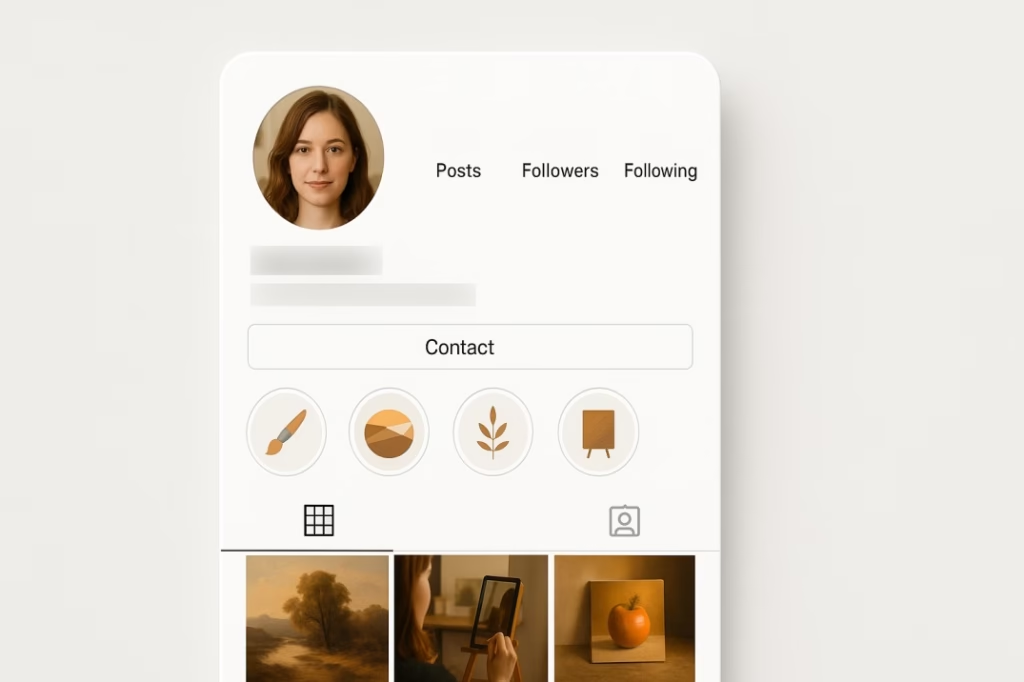
Choose your category wisely: This label appears under your name and affects discoverability. Options include:
- Artist (broad, works for most)
- Digital Creator (good for digital/AI artists)
- Photographer (obvious choice for photo artists)
- Visual Arts (another broad option)
- Public Figure (for very established artists)
Complete your profile thoroughly:
- Professional profile photo (your face or logo)
- Compelling bio (what you create, who it’s for, CTA)
- Contact button
- Link to portfolio/shop
- Story Highlights showcasing different art series
Pin your best post: Instagram lets you pin up to three posts to the top of your feed. Use this to:
- Showcase your best work
- Highlight current commissions availability
- Feature your most popular piece
- Display your artistic range
Story Highlights strategy: Create organized Highlights for:
- Art process/time-lapses
- Available commissions
- Completed works
- Studio tours
- Client testimonials
- FAQ
Consistency over perfection: Posting regularly (even if not “perfect”) beats sporadic posting of only your absolute best work. The algorithm rewards consistency.
Common Mistakes Artists Make (And How to Avoid Them)

Learn from others’ failures so you don’t have to experience them yourself.
Mistake #1: Switching Too Often
The problem: Artists switch between Creator and Business accounts every few weeks, chasing perceived advantages without giving either time to work.
Why it fails: Analytics reset partially with each switch. You can’t track long-term growth or identify what’s actually working. Your audience gets confused by changing profile features.
The fix: Commit to one account type for at least 90 days. Track specific metrics (follower growth, engagement rate, DM quality) and make data-driven decisions, not emotional ones.
Mistake #2: Wrong Category Selection
The problem: Artists select generic categories like “Entrepreneur” or “Personal Blog” instead of art-specific options.
Why it fails: Instagram uses categories to recommend your profile to relevant audiences. Wrong category = wrong audience recommendations.
The fix: Choose the most specific, art-related category available:
- Specific types (Photographer, Videographer) for those mediums
- “Artist” for painters, illustrators, sculptors
- “Digital Creator” for AI artists, digital painters, graphic designers
- Avoid generic business categories unless you run an actual art business with employees
Mistake #3: Ignoring Analytics
The problem: Artists create content based on what they enjoy making rather than what their audience engages with.
Why it fails: You’re building an audience, not just satisfying yourself. If your process videos get 10x more engagement than finished piece photos, the data is telling you something.
The fix: Check Professional Dashboard weekly. Track:
- Which posts get highest reach (make more of that)
- When your audience is most active (post at those times)
- Which content formats perform best (Reels vs. carousel vs. single image)
- Follower demographics (ensure you’re reaching your target audience)
Mistake #4: Not Utilizing Contact Buttons
The problem: Artists don’t add contact buttons or bury their commission information in bio links.
Why it fails: If collectors can’t easily reach you, they move on. You’re losing money from missing inquiries.
The fix:
- Add email button minimum (both account types have this)
- Include commission availability in bio
- Create “Commissions” Story Highlight with pricing, process, timeline
- Respond to DMs within 24 hours
- Set up auto-responses for FAQs
Mistake #5: Treating Instagram Like a Portfolio Only
The problem: Artists post finished work without context, process, or personality.
Why it fails: Instagram rewards content that sparks conversation and keeps people on the platform. Silent portfolio dumps get minimal engagement.
The fix: Share the journey, not just destinations:
- Time-lapse Reels of creation process
- Stories showing studio life and behind-the-scenes
- Captions telling the story behind each piece
- Mistakes, failures, and learning moments (people love authenticity)
- Engagement prompts (“Which color palette should I use next?”)
Mistake #6: Buying Followers or Engagement
The problem: Desperate for growth, artists purchase followers or likes.
Why it fails: Fake followers don’t engage, which tanks your engagement rate. Instagram’s algorithm detects this and suppresses your reach to real people. Brands check engagement rates before partnerships—obvious bought followers kill opportunities.
The fix: Grow organically, even if slower:
- Engage genuinely with artists in your niche
- Use relevant hashtags (5-10 per post)
- Collaborate with other artists
- Share valuable content consistently
- Participate in art challenges and trends
Mistake #7: Neglecting Reels in 2025
The problem: Artists stick to static posts because they’re “not video people.”
Why it fails: Instagram’s algorithm heavily prioritizes Reels. Static posts get fraction of the reach.
The fix: Start simple:
- Time-lapse your art process (no talking required)
- Stitch together progress photos with trending music
- Show before/after transformations
- Use Instagram’s built-in Reels templates
- Aim for 3 Reels per week minimum
Frequently Asked Questions
Can I switch back and forth between Creator and Business accounts?
Yes, you can switch freely anytime without losing followers or posts. However, some analytics data resets partially with each switch, so avoid changing too frequently. Give each account type at least 60-90 days before evaluating and switching.
Will I lose followers when switching account types?
No. All your followers, posts, Reels, and Stories remain intact when switching. The only thing that changes is the features and tools you have access to. Your audience won’t even be notified of the switch.
Do Business accounts get less reach than Creator accounts?
Instagram officially states that account type doesn’t affect algorithmic reach. However, Business accounts’ limited music library indirectly impacts Reel performance since they can’t use trending audio. This can result in lower overall reach if Reels are central to your strategy.
Can I run ads on a Creator account?
Yes. Both Creator and Business accounts have full access to Instagram’s advertising tools. You can create promoted posts, run Stories ads, and launch full campaigns through Meta Ads Manager from either account type.
Which account type gets verified easier?
Instagram doesn’t officially favor one account type for verification. However, many creators report anecdotally that Creator accounts may have slightly easier verification paths since Instagram positions them as “personal brands.” Verification ultimately depends on meeting eligibility criteria: notability, authenticity, completeness, and activity.
Is Instagram Shopping available for both account types?
Yes, as of 2025, both Creator and Business accounts can access Instagram Shopping features. You can tag products, create Shop tabs, and enable Instagram Checkout (in eligible regions) regardless of account type.
Can I manage multiple Instagram accounts?
Yes. Instagram allows you to manage up to 5 accounts from a single app. However, Business accounts have better multi-user management capabilities if you need team members to have independent access (rather than sharing login credentials).
What happens to my insights when I switch?
Most insights transfer, but some data may reset or become unavailable. Before switching, download your Instagram data (Settings → Security → Download data) to preserve historical analytics. After switching, you’ll start building new insights in the new account type.
Can I have both a Creator and Business account?
Yes, if you have two separate Instagram accounts. Some established artists maintain a main Creator account for content and a secondary Business account for their shop. This requires managing two profiles and splitting your audience, so it’s only recommended for artists with 50K+ followers and significant product sales.
Do I need a certain number of followers to switch to Creator or Business?
No. You can switch to a professional account (Creator or Business) at any follower count—even zero. However, some monetization features like Instagram Subscriptions require 10,000+ followers. The account switch itself is free and has no follower requirements.
Will my personal posts from before the switch still be visible?
Yes. All content you posted while using a personal account remains visible after switching to Creator or Business. Your entire post history, including archived content, transfers seamlessly.
Can I schedule posts with a Creator account?
Limited. Creator accounts can use Meta Business Suite for basic scheduling, but most third-party scheduling tools (Later, Buffer, Hootsuite) only work with Business accounts. If advanced scheduling is essential, Business accounts have the advantage.
How do I know which account type I currently have?
Go to your profile → Menu (three lines) → Settings and activity → Account type and tools. Instagram will display your current account type and give you the option to switch if desired.
Make Your Choice and Commit
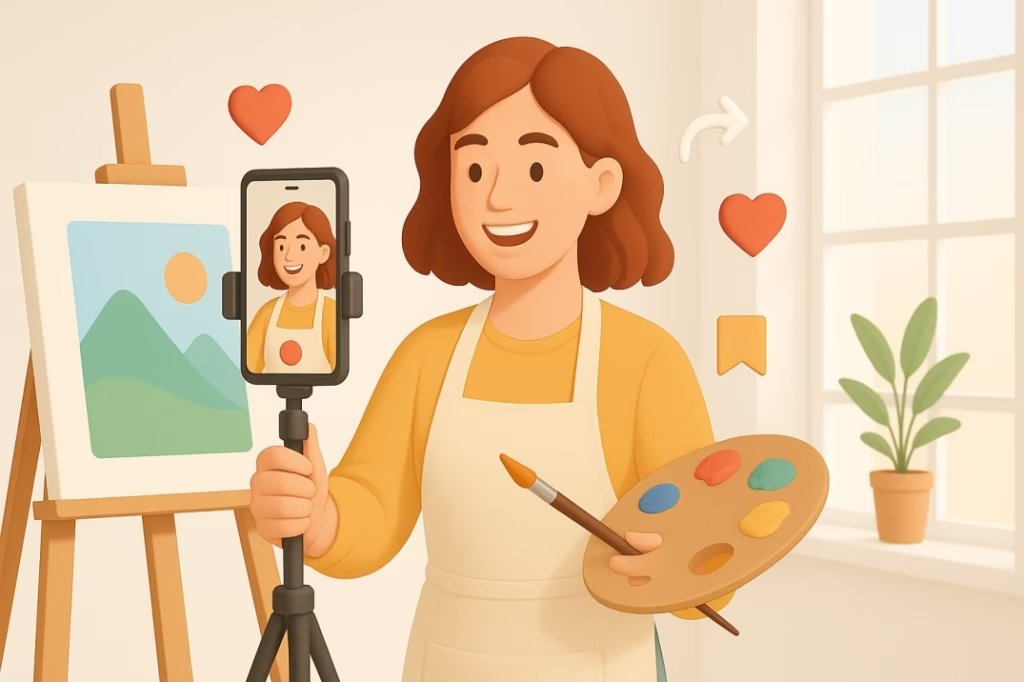
You now have everything you need to make the right decision for your art career.
The short version:
- Most artists should choose Creator accounts for full music access, better DM management, and Creator Marketplace opportunities
- Choose Business if you’re selling products heavily, need team management, or require third-party scheduling tools
- Give your chosen account type 90 days before evaluating and potentially switching
- Focus on creating great content—account type matters, but consistency and quality matter more
Remember: Instagram is a marathon, not a sprint. The “perfect” account type won’t magically solve all your growth problems. What matters is showing up consistently, creating value for your audience, and engaging authentically with your community.
Your art deserves to be seen. Now you have the right tools to make that happen.
Take Action Today
Step 1: Decide which account type aligns with your current artistic goals (refer to the decision framework above).
Step 2: If switching, download your current Instagram data to preserve analytics history.
Step 3: Make the switch following the step-by-step instructions in this guide.
Step 4: Optimize your new account type using the pro tips for your chosen path.
Step 5: Commit to 90 days of consistent posting before re-evaluating.
Your Art Journey Continues
Choosing the right Instagram account type is just one piece of building a thriving online art career. Continue learning with these related guides:
About the Author: This guide was created by a team passionate about helping artists build sustainable creative careers. We test strategies, track data, and distill actionable insights so you don’t have to waste time on tactics that don’t work.
Have questions about your specific situation? Drop a comment below and we’ll answer personally. Found this helpful? Share it with an artist friend who’s struggling with Instagram.
Now get out there and make your art impossible to ignore.
Quick Reference: Creator vs Business at a Glance
Choose CREATOR if: Solo artist building personal brand
Reels are central to strategy
Want trending music access
Seeking brand partnerships
Need DM filtering
Manage account yourself
Choose BUSINESS if: Selling products regularly
Team management needed
Require scheduling tools
Run frequent paid ads
Conversion tracking priority
Have physical location
Can’t decide? Start with Creator. You can always switch later without losing anything.
Disclaimer: Instagram features and policies change frequently. While this guide reflects the platform as of November 2025, always verify current features in Instagram’s official Help Center. Account type performance varies based on individual content quality, audience, and strategy.
Privacy Note: This article contains no affiliate links or sponsored content. All recommendations are based on research, artist interviews, and platform documentation.