
Free · no sign-up · nothing uploaded
Free Grid Drawing Tool for Artists
A grid drawing tool divides a reference photo into equal squares, so you can copy one square at a time instead of judging a whole drawing at once. This one does the part most tools skip: tell it the size of the paper or canvas you are actually working on, and it works out the grid you need to draw there — how many squares, how big each one is, and a printable blank sheet that matches.
- Scaled to your paper
- Printable blank grid
- 8 composition overlays
- Works offline
- No watermark
Drop a photo here
· or paste with Ctrl + V
JPG, PNG, WebP, HEIC — processed on your device, never uploaded
Sized to your paper
Choose your sheet or canvas and it works out the squares — how many, how big, and what is left over.
Print the blank grid
A true-size sheet at your exact paper dimensions, lettered and numbered, ready to rule or trace from.
One square at a time
Focus mode isolates a single square and fills the screen with it, which is how the method actually works.
What to draw on your paper
Load a photo to see your grid plan.
The method
How to use the grid method
Six steps. The whole idea is to stop drawing the thing and start drawing the shapes the thing happens to make.
Load your reference
Drop in the photo you are working from. It stays on your device — the grid is drawn in your browser, nothing is sent to a server.
Tell it your paper size
Pick your sheet or canvas. The tool crops the photo to that shape so your drawing cannot come out stretched.
Choose your squares
Fewer, larger squares for loose work; more, smaller squares for tight detail. Beginners: start at 8 across.
Print the blank grid
Print the matching grid at exact size, or rule it on your paper with the measurements the tool gives you.
Draw one square at a time
Hit Focus and work square by square, copying only the shapes inside each one. Ignore what you think the object is.
Erase the grid
Draw your grid lightly in 2H so it lifts cleanly, then knock it back with a kneaded eraser before you commit to tone.
Setting up
How many squares should you use?
More squares means more accuracy and more time. Fewer squares means faster work and more of your own drawing showing through.
The useful rule: each square should hold one or two simple shapes. If you are looking at a square and cannot describe what is in it in a short sentence, the grid is too coarse.
| What you are drawing | Squares across | Why |
|---|---|---|
| Your first grid drawing | 6–8 | Big squares, fast wins, easy to see progress |
| A loose study or gesture | 6–8 | Enough structure to keep proportion honest |
| A portrait from a photo | 10–12 | Fine enough for the features, coarse enough to stay loose |
| Eyes, fur, lace, hands | 16–24 | Or keep 12 and turn on half-line subdivisions |
| A landscape with detail | 12–16 | Detail sits in small areas; subdivide those squares only |
| Enlarging a small sketch | match size | Match the square size, not the count — see below |
If one area is fighting you — almost always an eye or a mouth — do not raise the grid for the whole picture. Turn on centre lines in the Grid panel, which adds half-lines inside every square, and use them only where you need them.
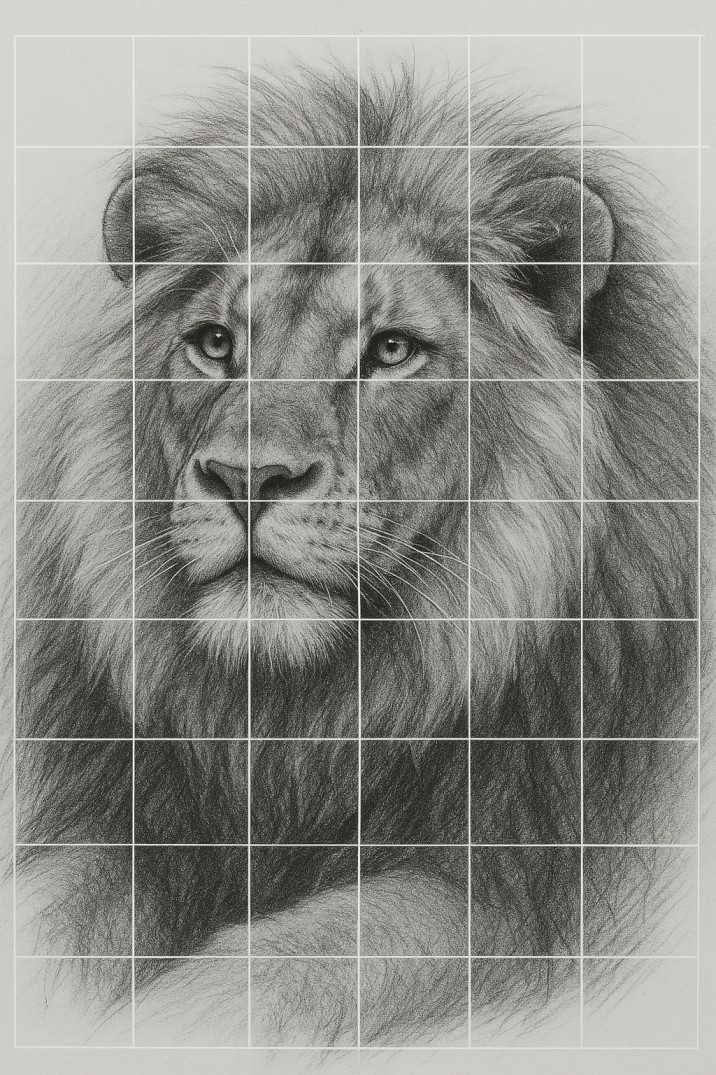
The part everyone gets wrong
Matching the grid to your paper
Most grid drawings go wrong before a single line is drawn, for one of two reasons.
The shapes do not match
A phone photo is usually 4:3 or 3:2. A sketch pad is 3:4. A canvas might be square. If you grid a 3:2 photo and copy it onto a 3:4 sheet, something has to give — either you squash the drawing or you run off the edge.
The tool crops your photo to the shape of your grid before it draws anything, with a slider to choose which part of the photo survives. Leave Crop the photo to my paper shape ticked and the problem disappears.
The squares do not divide
Nine inches divided by eight squares is 1.125 in — awkward to rule off, and ten of those rows only reach 11.25 in down a 12 in sheet. That is not a mistake; it is arithmetic.
The tool tells you exactly how much paper is left over so you can centre the grid and keep the remainder as a border, which is what you want anyway. If you would rather it divide cleanly, switch to Square size and pick a number that goes into your sheet.
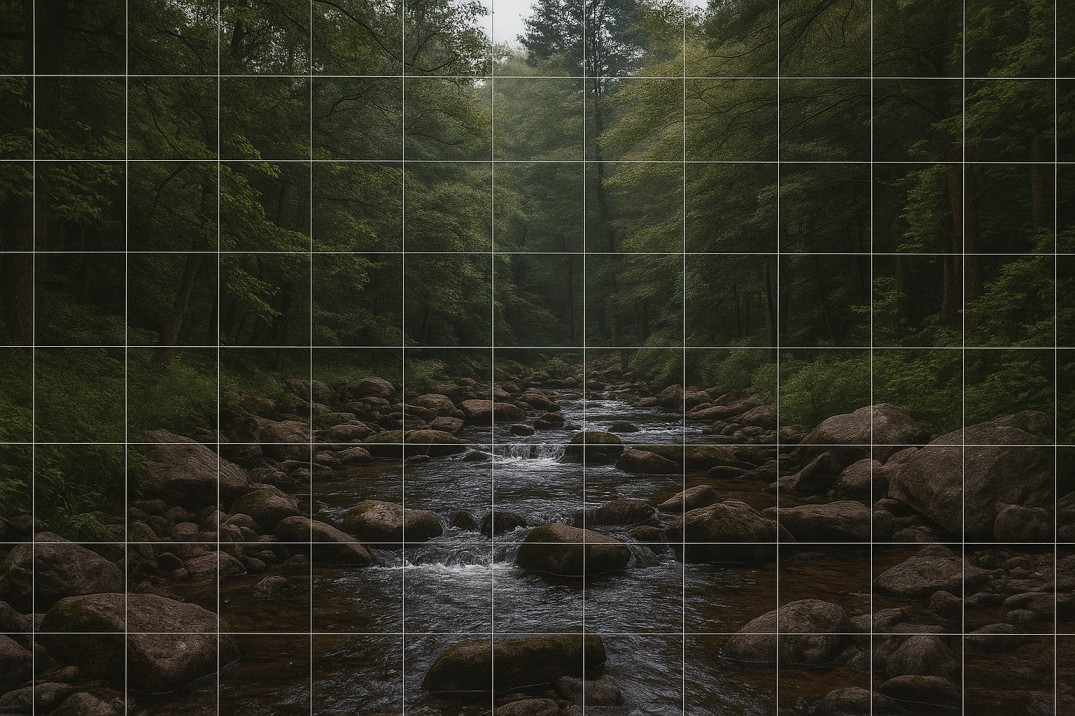
Sizes that divide exactly
| Paper or canvas | Square size | Grid |
|---|---|---|
| 9 × 12 in | 1 in | 9 × 12 |
| 9 × 12 in | ¾ in | 12 × 16 |
| 9 × 12 in | 1½ in | 6 × 8 |
| 8 × 10 in | 1 in | 8 × 10 |
| 8 × 10 in | ½ in | 16 × 20 |
| 11 × 14 in | 1 in | 11 × 14 |
| 16 × 20 in | 1 in | 16 × 20 |
| 16 × 20 in | 2 in | 8 × 10 |
| 12 × 12 in | 1 in | 12 × 12 |
| US Letter 8.5 × 11 in | ½ in | 17 × 22 |
| A3 29.7 × 42 cm | 2 cm | 14 × 21 |
A-series paper never divides into whole centimetres — the proportion is 1:√2, which is irrational by design. Use A sizes with a deliberate border rather than fighting the maths.
Scaling up. If you are enlarging a small drawing rather than working from a photo, the number that matters is the square size on each surface, not the number of squares. Ten squares across a 5 in sketch and ten across a 20 in canvas is a 4× enlargement: ½ in squares become 2 in squares. Keep the count identical on both surfaces and the proportions carry over exactly, however big the jump. For walls and murals, where you are working in feet rather than inches, use the mural grid and transfer scaling tools on Grid Maker Pro.
Worked example
Drawing a portrait with a grid
Faces are the hardest thing to draw from observation and the easiest thing to get wrong by a small margin that ruins the likeness. A grid is the fastest way to catch that margin — twelve squares across is the usual sweet spot for a head-and-shoulders portrait.
Place the features against the lines first
Which line does the inner corner of the left eye sit on? How far down its square does the base of the nose fall? Getting five or six of these anchors right is most of the likeness.
Use Focus mode on the eyes and mouth
Click a square and it fills the screen. You stop seeing “an eye” and start seeing the shapes that happen to make one, which is the entire point of the grid method.
Flip the photo horizontally
Every distortion you have stopped noticing becomes obvious in the mirror image. Painters have used this with a hand mirror for centuries.
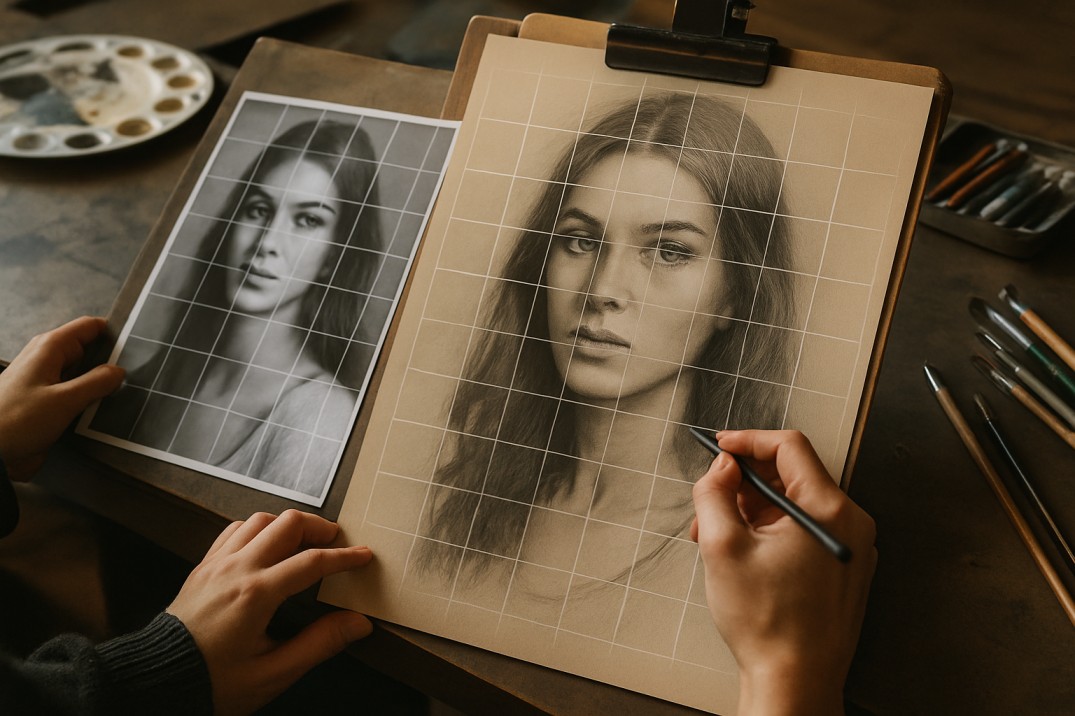
Set the View to greyscale while you place the tone. Colour hides value, and a portrait that is right in value reads correctly even when the colour is not.
Getting the grid off your paper
Draw the grid in 2H or harder, and press as lightly as you can still see. Hard graphite sits on the surface instead of cutting into the tooth of the paper, so it lifts cleanly.
Knock the lines back with a kneaded eraser before you commit to tone, not after — lift by pressing and rolling rather than rubbing, which drags graphite into the paper. Anything you rub at the end will scar the surface and show through the finished tone.
On watercolour paper, rule the grid in a hard pencil and lift it before you wet the paper; graphite under a wash is permanent. On canvas, use vine charcoal and flick it off with a clean rag once the drawing is placed — never use pencil on primed canvas, because it will ghost through thin paint for years.
The alternative is to not draw the grid at all: print the blank sheet from this page, tape it behind your paper on a window or a lightbox, and work from the lines showing through.
Is using a grid cheating?
No. A grid measures; it does not draw. It tells you that a line crosses a boundary two-thirds of the way down a square, and leaves you every decision about what that line is, how heavy it is, where it softens and what you leave out. None of the skill that makes a drawing worth looking at is in the measuring.
The method is roughly five hundred years old. Dürer engraved a draughtsman using a gridded frame in 1525, and grids appear in the underdrawings of painters whose technical ability nobody questions. The objection is modern, and it is mostly aimed at beginners.
The honest caveat: if you grid every drawing forever, your eye for proportion will not develop, because you never have to make the judgement yourself. Use it to learn what accurate proportion looks like, use it when accuracy is the requirement, and put it away for studies. That is what it is for.
If you are weighing it against the alternatives, Grid Maker Pro has a longer comparison of the grid method against a projector and tracing.
When a square grid runs out of road
There are 82 more grids
where this one came from
This page gives you the square grid, done properly. Grid Maker Pro is the full library — the same promise, free and nothing uploaded, built for the jobs one square grid cannot do: transferring to a wall, dividing a canvas you have already stretched, or composing from an armature instead of copying from a photo.
- Square grid
- Rule of thirds
- Golden ratio
- Golden spiral
- Phi rectangle
- Root-2 armature
- Harmonious armature
- Rule of fifths
- Rabatment
- 1-point perspective
- 2-point perspective
- 3-point perspective
- Isometric
- Hexagonal
- Triangular
- Dot grid
- Polar grid
- Mandala
- Flower of Life
- Sri Yantra
- Metatron's Cube
- Vesica Piscis
- Pentagram
- Hexagram
- Loomis head
- Baseline grid
- Column grid
- Comic page
- Storyboard
- Diamond grid
…and 52 more, across 11 families. Every one stackable, movable and rotatable on its own.
Jobs this page cannot do
- Compose rather than transfer — dynamic symmetry, root rectangles, the armature of the rectangle
- Perspective — one-, two-, three- and five-point constructions a square grid can never give you
- Build a head from scratch with the Loomis method instead of copying one
- Wall and mural transfer, with the grid tiled across several printed sheets
- Print-ready output — PDF, SVG, or 600 DPI for a large reproduction
- Saved workspaces and share links, so a whole class opens the same setup
| This page | Grid Maker Pro | |
|---|---|---|
| Square grid + paper matching | Yes | Yes |
| Printable blank grid sheet | Yes | Yes |
| Composition overlays | 8 | 82 |
| PDF & SVG export | — | Yes |
| 600 DPI & tiled printing | — | Yes |
| Perspective & armatures | — | Yes |
| Saved workspaces | — | Yes |
| AR tracing on real paper | — | Android |
| Price | Free | Free |
No account, no upload, no watermark — same as this page. There is also an AR tracing app for Android that locks any of the 82 grids over real paper through your camera.
Choosing a tool
If you came here looking for another grid tool
A lot of people arrive searching for one by name. They all do broadly the same thing — overlay squares on an image and let you download it. Four things are worth checking, whichever you pick.
Does it upload your image?
Several do. This one does not — everything happens in your browser, which you can verify by loading the page, going offline, and gridding a photo anyway.
Is the full-resolution download free?
Several free grid tools cap resolution or add a watermark unless you upgrade. This one exports at your photo’s native resolution with nothing stamped on it.
Does it know anything about your paper?
Almost none of them do. An overlay of “8 by 10 squares” is not much use until something tells you those squares are 1.13 in on a 9 × 12 pad.
Can it print a blank grid at true size?
This is the step that saves the most time, and it is rare. It is the difference between a picture of a grid and a grid you can actually draw on.
Questions
Frequently asked questions
Is this grid drawing tool free?
Yes, completely, with no account, no watermark and no export limits. Downloads come out at your photo’s full resolution.
Is my photo uploaded anywhere?
No. The grid is drawn in your browser using canvas. Your image is never sent to a server, which also means it works with no connection once the page has loaded.
How many squares should I use?
Six to eight for a first attempt, ten to twelve for a portrait, sixteen to twenty-four for fine detail. Each square should contain one or two simple shapes you could describe in a sentence.
What size squares should I draw on a 9 × 12 pad?
One inch, giving a 9 × 12 grid that divides exactly. Three-quarter-inch squares give you 12 × 16 for more detail. The tool calculates this for any paper size you choose.
Can I print the grid onto my paper?
Print the blank paper grid produces a true-size sheet at your exact paper dimensions with the squares lettered and numbered. Set your printer to 100% or “actual size” — not “fit to page” — or the squares come out wrong.
Does it work on a phone or an iPad?
Yes. The layout reorders for small screens and touch works throughout. Printing at true size is easier from a laptop.
How do I get the grid lines out of my finished drawing?
Rule them in 2H as lightly as you can see, and lift them with a kneaded eraser before you commit to tone rather than rubbing them out at the end.
Can I use this for a canvas or a mural?
For canvas, yes — pick your canvas size from the list or enter a custom one. For murals and walls, use the mural grid on Grid Maker Pro, which tiles the grid across several printed sheets.
Is using a grid cheating?
No. A grid measures proportion; every decision that makes a drawing worth looking at is still yours. It has been standard practice since at least the sixteenth century.
What is the difference between this and Grid Maker Pro?
This page is the grid method with one excellent square grid and eight composition overlays. Grid Maker Pro is the full tool: 82 overlays including perspective, dynamic symmetry and sacred geometry, PDF, SVG and 600 DPI export, tiled printing, and saved workspaces. Both are free.
Keep it to hand
Bookmark this page for your next reference photo
It costs nothing, it works offline once loaded, and it will still be free the next time you open it. If it saved you some ruling, pass it to someone who is fighting with proportion.
Back to the toolCopy only the shapes you can see inside this square. Where does each line enter the square, and where does it leave?